The bank tells the truth
The camt.053 statement
Your bank can export its memory: a camt.053 file, the official Swiss statement. Import it — every account movement lands in the app, ready to reconcile. Most e-banking portals export it in two clicks.Reconciliation
On one side, what you've booked; on the other, what the bank actually saw. Matching the two — that's — turns your books into verified truth, line by line.Why this is THE moment
An issued invoice can mislead, a receipt can go missing — the bank statement never lies. Reconciled books are books a fiduciary, a bank or the tax office can take at their word.How to do it in BeMyTalent
The same chapter, hands-on — step by step in the app:
- 1
Import your statement
Under Imports, the highlighted card awaits your camt.053. Export it from your e-banking (look for "camt" or "ISO 20022"), drop it in: the movements arrive.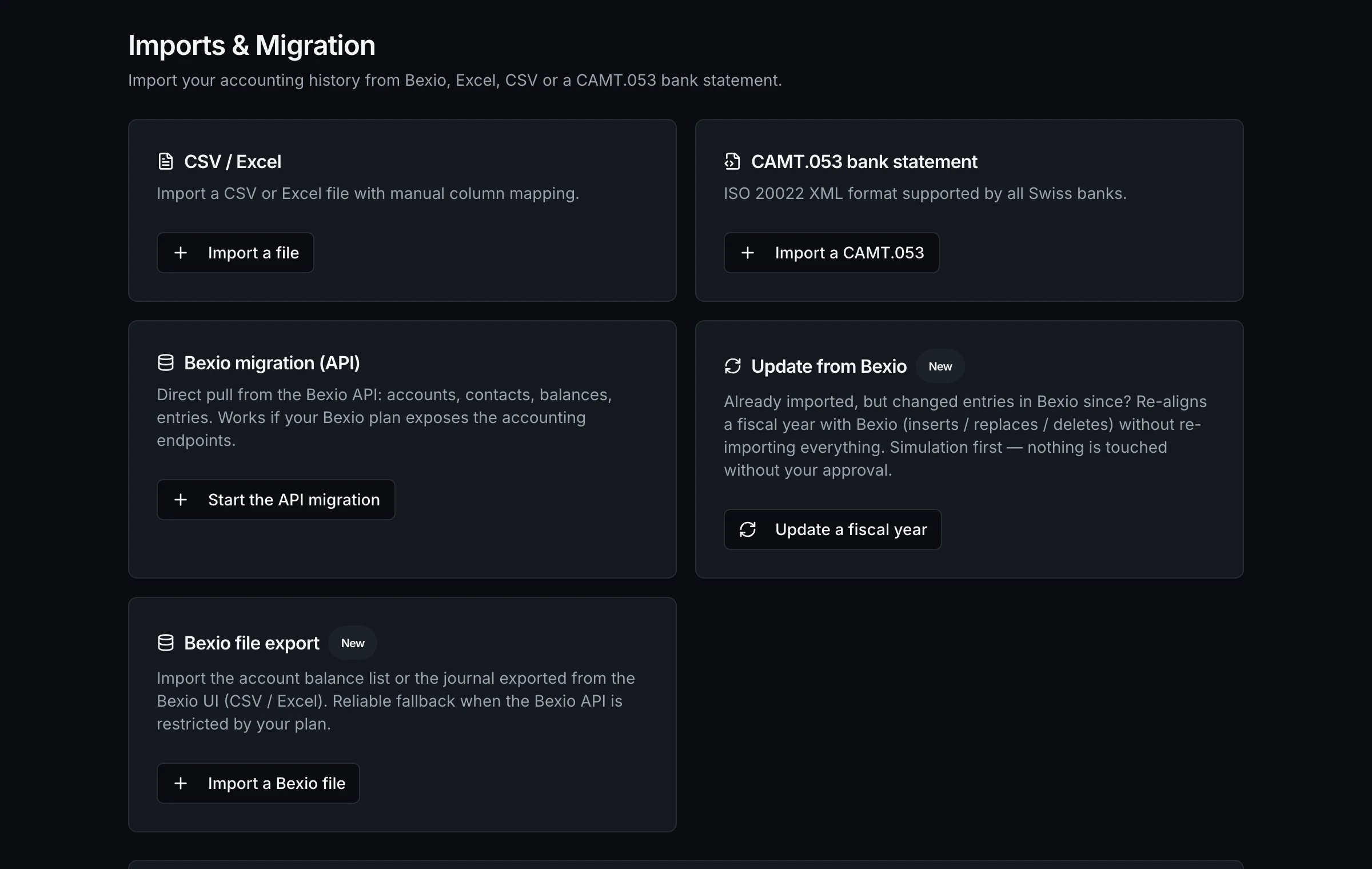
- 2
Confirm a match
Under Bank , the app already proposes matches: same amount, same date, same name. Confirm one — the movement and the are linked for good.
Going deeper
Matching payments to invoices
Bank is for movements; is for invoices: linking each payment to ITS invoice, even partially. The app proposes, the screen decides.Put it into practice on your numbers
This guide continues in the app: the guided path has you build your real financial plan, chapter by chapter. 1-month free trial, no card.