Closing the year
Why we close
The freezes so the past stays true: numbers sent to the tax office or shown to the bank must not move again. The closing locks the year — and the opening carry-forward launches the next one.What the closing does
The result moves to equity, the 's balances become next year's opening, entries lock, the dossier archives. BeMyTalent chains these steps — you confirm each one.Preparing the closing, on your own or with support
The BeMyTalent pre-check tells you whether the file is ready. You can then carry out the steps that fit your situation, or hand the closing and its technical choices to your fiduciary. Shared access and the export dossier give them everything they need.How to do it in BeMyTalent
The same chapter, hands-on — step by step in the app:
- 1
The pre-check
Year-end screen: the pre-check lists what must be true before closing — bank reconciled, entries validated, up to date. Green everywhere? You're ready. This course closes nothing: the button will wait for you.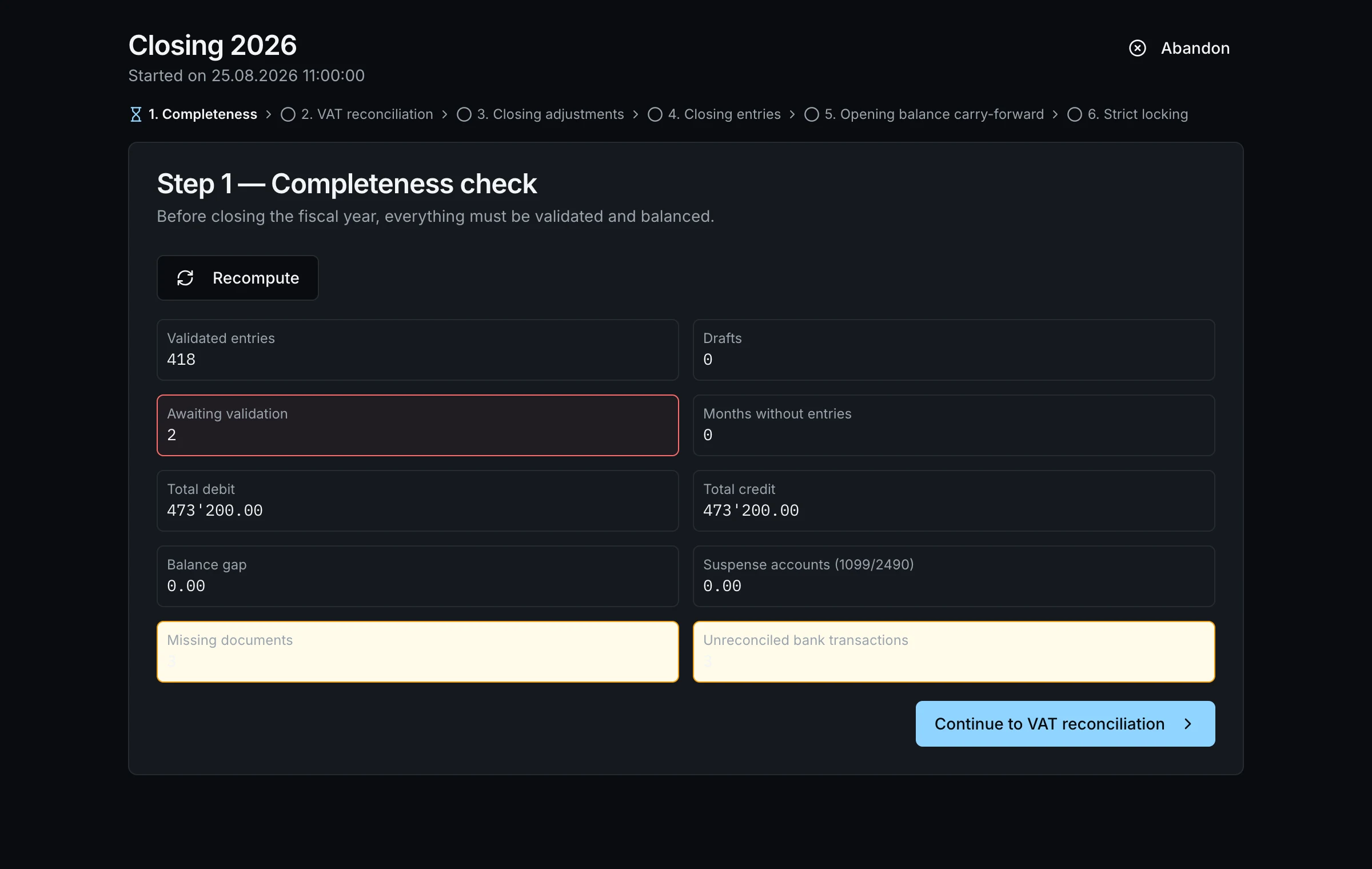
- 2
Archives and audit
Every closed year lives in Archives — frozen statements, journal, documents. The Audit screen keeps track of who did what, when. Your legal memory, one click away.
Going deeper
Reopening, exceptionally
A closed year can be reopened — a traced, motivated act, logged in the audit. The rule stands: the past isn't retouched; you document why you had to go back.Put it into practice on your numbers
This guide continues in the app: the guided path has you build your real financial plan, chapter by chapter. 1-month free trial, no card.